Questions:
- What is the main difference between the HDS and I-HDS Honda diagnostic software?
- Should be both installed?
- Is the i-HDS require license from Honda dealer?
Simple answer:
Honda HDS vs. I-HDS: HDS use for old car, older 2017. Use with hardware is HIM (original or clone). And I-HDS use for new car, >2017 and more, use with hardware original is DST-i of Bosch.
Honda I-HDS replaces HDS. To diagnose newer cars, I-HDS is required. The interface is easier to use. So you need to install HDS first and I-HDS afterwards. HDS will NOT run by itself.
HDS cannot access IMMO anymore. You would need i-HDS installed. However, you will need to be a registered locksmith and have credentials for Honda. None of this is provided, therefor will not work. You can purchase key programming device if you want to do IMMO.
The J2534 Rewrite software is meant for the North American market. The Rewrite software allows you to update powertrain modules such as PCM and TCM.
A subscription to the i-HDS suite and an appropriate J2534 Pass-through device is needed. If your have a DST-i, the PCM Initialization software is included in the subscription.
NOTE: If you are trying to reprogram ECM/PCM/ECU’s or replace lost keys, the appropriate credentials and type of subscription is required.
How do I subscribe to the Honda Diagnostic System software?
Subscribe i-HDS online license from HDS official: https://techinfo.honda.com/
Enable i-HDS license enables following functions:
- i-Troubleshoot (Guided Diagnostics)
- All Systems DTC Scan and Clear
- J2534 ECU Reprogramming (Guided Diagnostics) . Reprogramming software for use with J2534 compliant interface devices is available with an i-HDS subscription.
- SRS Deployment Status
- ADAS Calibration*
- TPMS Calibration*
- Function Tests
- Immobilizer**
- PCM Code**
- *If vehicle is equipped
**Requires valid VSC (formerly known as LSID) to transact data via SDRM.
1 Day Subscription: $30
30 Day Subscriptions: $200
365 Day Subscriptions: $1800
Here we go for details.
Part 1. What is Honda HDS?
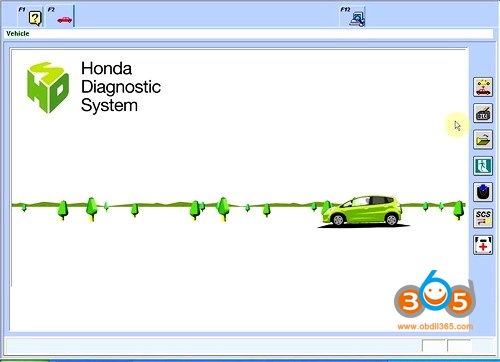
Honda HDS (Honda & Acura Diagnostic System) is the latest diagnostic software for Honda vehicles. Diagnostic functions available for vehicles of HONDA/ACURA from year 1992 to 2020.
Test coverage: Dynamical, Body, Chassis, ABS, SRS, Anti-theft, etc. HDS supports CAN BUS system, and it can re-program the Auto ECU.
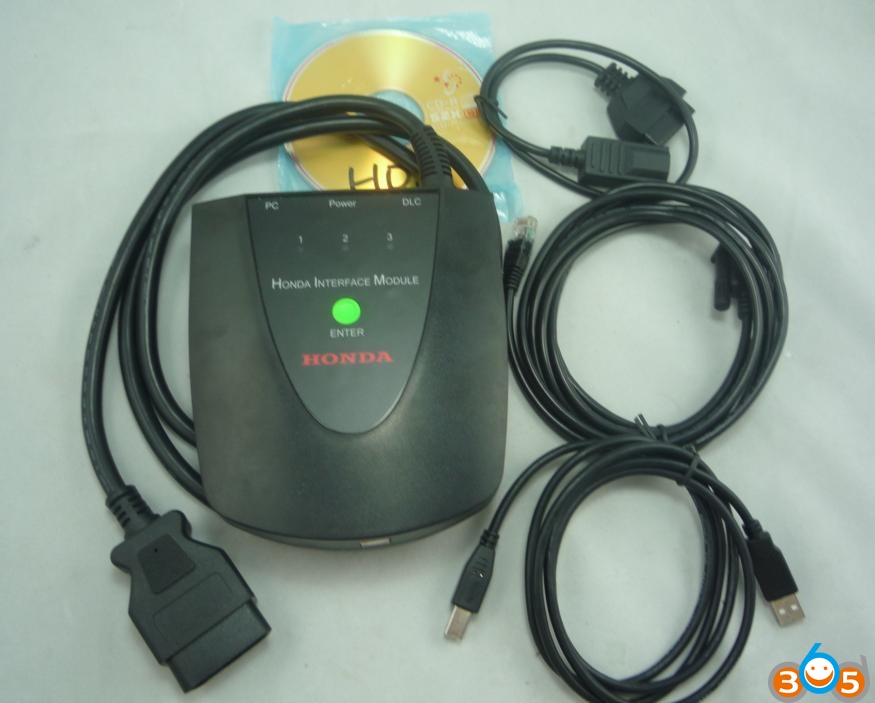
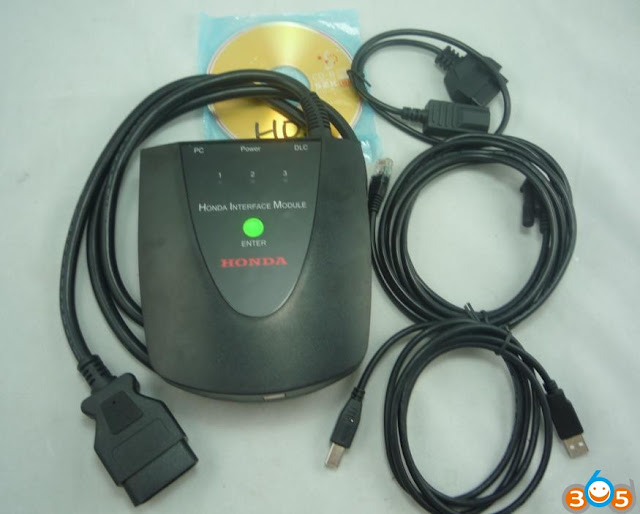
HIM is the host with double board (see picture below).
So Honda HDS is the copied software load on a third-party HIM firmware. You need an RS-232 port on your computer. If your computer doesn’t natively have one, you’ll need a USB->RS-232 adapter. Software updates frequently.
Honda HDS Function:
- Functions Supported by OBD-II Protocols
1) Mode $01 – Displays system current parameters in digital form (up to 8 parameters at once);
2) Mode $02 – Displays parameters of freeze frame;
3) Mode $03 – Reading and decoding of fault codes from control block memory;
4) Mode $04 – Deleting of fault codes (memory clearing);
5) Mode $05 – Displays results of oxygen sensors;
6) Mode $06 – Displays results of changeably controlled systems and components;
7) Mode $07 – Displays results of constantly controlled systems and components;
8) Mode $08 – Management of executive devices;
9) Mode $09 – Displays car identification info.
- Functions Supported by Honda/Acura Protocols
1) Reading and decoding fault codes from control blocks memory
2) Deleting fault codes
3) Displays system current parameters in digital form
4) Displays system current parameters in graphical form
5) Combined displaying of data
6) Management of executive devices
7) Logs keeping – writing and keeping of digital parameters in memory
8) Special functions – changing of permissible settings of blocks, programming etc.
HDS V3.103.066 software :
https://pan.baidu.com/s/1VJUiq22T-z9yal0-JDlMZA
(password: wn2k)
Operating system: Windows XP/Windows 7 32/64-bit
Multi-language available: English, Chinese, Spanish, French, Indonesian, Korean, Portuguese, Thai etc.
CAN BUS system and re-programming Auto ECU: confirmed
VIN reader and IMMO: confirmed
Read related articles:
Honda HDS review
Honda HDS user manual (hardware, software, reflash, subscription, diagnosis etc)
Part 2. What is I-HDS?
I-HDS (Honda Diagnostic System) software suite for the diagnosis and repair of electronic systems on Honda and Acura automobiles, and for the reprogramming of electronic control units (including, but not limited to, ECMs and PCMs). This software provides access to all Honda and Acura vehicle systems (access to the immobilizer security system requires a Security Professional level software subscription and Vehicle Security Professional [VSP] registration with NASTF).
To use the i-HDS software, you need to purchase one of subscription options. In addition, you will need a pass-thru Vehicle Communication Device (VCI) that is compliant with SAE J2534-1 and J2534-2 in order to communicate with the vehicle

Hardware: MVCI original, VXDIAG Honda (with i-HDS 1.004.025), HDS HIM double-board (need luck)
PC Requirements for the I-HDS Software
| | Minimum | Recommended | |
| Operating System | Microsoft Windows 10 Professional 32bit or 64bit | Microsoft Windows 10 Professional 64bit | |
| Processor Speed1 (Base Clock Speed) | 2.1 GHz Intel or AMD processor | 2.6 GHz Intel or AMD processor | |
| Memory (RAM) | 4 GB (32bit) or 8GB(64bit) | 16 GB of RAM | |
| Storage Drive2 | Solid State Drive (SSD) with 40 GB Free Space3 | NVME Solid State Drive (SSD) with 60 GB Free Space3 | |
| Video Resolution | 1366 x 768 or higher | 1920×1080 | |
| Network | 1 Gigabit Ethernet or 802.11ac WiFi | 1 Gigabit Ethernet or 802.11ac WiFi | |
| USB Ports | USB 2.0 with Type A connector | USB 3.1 with Type A connector | |
| Bluetooth | N/A | Bluetooth 4.2 or higher | |
| |
| | | | | |
- Faster single thread processor speed has a high influence on snapshot gathering, live data viewing, and smooth operation of I-HDS.
- A Solid State Drive allows for faster booting time and smooth operation of I-HDS.
- Sufficient space is required for operation, snapshot storage, log storage, and future enhancements of the I-HDS suite.
Vehicle Communication Interfaces (VCI)
The I-HDS software supports the use of a generic pass-thru VCI that is compliant with SAE J2534-1 and J2534-2. However, American Honda Motor Co. recommends the Denso DST-I for use on Honda and Acura vehicles, Honda Canada Inc. recommends the Denso DST-nano for use on Honda and Acura vehicles, as Honda has worked closely with this manufacturers to ensure their hardware and our software interact safely and within the J2534-1 and J2534-2 specifications, for both diagnostics and reprogramming. If you choose to use a generic VCI, please carefully consider the customer and technical support options you will receive from your chosen device supplier.
The VCI Application Table below lists devices that either are approved and supported by Honda or are known to have completed and passed an independent, exhaustive validation program with our I-HDS software suite.
| Manufacturer | VCI Name | Version Information | Notes |
| Firmware | J2534 API |
| DENSO | DST-i | 2.02.0002* | 04.04 | This is the current generation VCI used by American Honda Motor Co. Honda and Acura dealers. Honda routinely validates the functionality and provides customer support for this device. |
| DENSO | DST-nano | 2.02.0002* | 04.04 | This is the current generation VCI used by Honda Canada Inc.Honda and Acura dealers. Honda routinely validates the functionality and provides customer support for this device. |
| Bosch | MVCI | 3.01.60* | 04.04 | This is the previous generation VCI used by American Honda Motor Co. and Honda Canada Inc. Honda and Acura dealers. |
| Drew Technologies | MongoosePro Honda | 1.9.5** | 04.04 | This company has completed an independent i-HDS validation and claims it to function with the i-HDS software. Honda does not provide ongoing validation, nor customer support for this device. |
| Dearborn Group | d-briDGe Pro | 3.303** | 04.04 | This company has completed an independent i-HDS validation and claims it to function with the i-HDS software. Honda does not provide ongoing validation, nor customer support for this device |
| | | | | |
* These versions may have been superseded. Honda provides the latest supported versions to current i-HDS subscribers.
** Version used in validation program. See Terms and Conditions and Important Notice Regarding Reprogramming below for more details.
Reprogramming with the J2534 Rewrite Application in i-HDS
Included in the i-HDS software suite is a new reprogramming application called J2534 Rewrite. This application is made available to all subscribers of the i-HDS software suite and replaces the previous generation software, J2534 Honda Pass-thru Reprogramming Software.
You can use other J2534 devices. Some examples of tools that you can use are Snap On, CarDaq-Plus, CarDaq-M, GM MDI and much more!
This new application is compatible with generic VCIs that comply with SAE J2534. It must be used to reprogram any Honda/Acura vehicle equipped with ECUs that support reprogramming. Refer to the table below for legacy applicability for the programming of ECMs and PCMs. Though system dependent, late-model vehicles may be equipped with other ECUs that support reprogramming as well, e.g. ABS or VSA. J2534 Rewrite must be used to reprogram these control modules, as instructed in an applicable service bulletin.
As shown in this table, not all legacy Honda/Acura models are equipped with a reprogrammable ECM/PCM. Furthermore, all 2007 and later models not listed in the table are fully supported with this application.
X= Reprogrammable
Honda i-HDS manual
FAQs iHDS:
Q: Can I use a generic J2534 interface device (such as those supplied by Actia, Blue Streak Electronics, Bosch, Drew technologies, Ease Diagnostics, Snap-on, etc.) with i-HDS?
A: No, i-HDS software will only work with a PC and a Honda scan tool, such as the DST-i. Some third party hardware may work, i,e vxdiag Honda, HDS HIM.
Q. How do I install i-HDS software and what are the requirements?
A. Installation instructions will be provided with your software subscription. For i-HDS hardware and software requirement above.
Q. When I subscribe to the i-HDS software, how do i get the software and the updates?
A. The initial software is available for download, along with instructions on how to install the software. When software updates are released, you’ll receive an email with a link to download the updates to your PC.
Q. Can I install i-HDS software and other OEMs’ diagnostic software on the same PC?
A. This may or may not be possible, depending on the other OEMs’ software. You may need to uninstall the other diagnostic software in order to use the HDS.
Q. Will i-HDS software work with interface devices other than the DST-i, such as J2534 devices, HIM, GNA600, Ford VCM, etc.?
A. The officially supported tool is the DST-i. Other devices are not guaranteed to work with the software.
Q. Does the i-HDS software package retrieve codes for ABS, AIRBAG, and CHECK ENGINE?
A. It depends on the year of the vehicle. Some older vehicles may not have the capability.
Q. I currently have a DST-i and i-HDS software. How do I get the ECU update for a 2004 Acura RSX?
A. You must have the latest i-HDS software installed on your PC. If an update is available, the software will recognize this and prompt you to install it.
Q. Can I reprogram keys with the i-HDS software subscription?
A. Yes, provided you are registered with ALOA and have a current SIS Security Professional subscription.
Q. Is reprogramming software included with a SIS subscription?
A. No, reprogramming software for use with J2534 compliant interface devices is available with an i-HDS subscription.
Enjoy!
www.obdii365.com
http://blog.obdii365.com/2021/02/22/difference-between-honda-hds-and-i-hds-software/