Friday, October 27, 2017

Honda Diagnostic System HDS HIM Self-Test Guide

How to check if your Honda HDS HIM diagnostic tool works good or not?
You need have self test on Honda HIM Honda diagnostic system .

Here is the how-to’s.

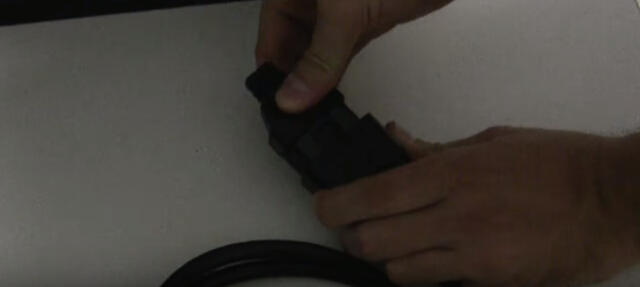
1 Attach the DLC loopback connector to be the end of the vehicle DLC cable on the Honda HIM diagnostic tool
2 Attach the RS232 loopback connector (part of your PGM Tester equipment)) on the HIM
honda-hds-him-self-test-1
3 Connect the PGM Tester Adapter to the POWER socket on Honda HDS HIM device
honda-hds-him-self-test-2
honda-hds-him-self-test-3
honda-hds-him-self-test-4
4 The green LED flashes for 5 seconds
honda-hds-him-self-test-5
5 The green LED continues to flash and the yellow LED glows steadily
Press Enter button the HIM
honda-hds-him-self-test-6
honda-hds-him-self-test-7
6 The green, yellow, red LEDs flash alternately for 15 seconds
honda-hds-him-self-test-8
honda-hds-him-self-test-9
honda-hds-him-self-test-10
7 The green and yellow LED flash alternately.
honda-hds-him-self-test-11
honda-hds-him-self-test-12
8 Disconnect the DLC loopback connector, then press the Enter button
honda-hds-him-self-test-13
9 The green, yellow and red LEDs flash alternately for 15 seconds

10 When Honda HIM self test is complete, and the HIM hardware is confirmed OK, then green LED glows steadily.
honda-hds-him-self-test-14
Job’s done.

Wednesday, October 25, 2017

How to Turn ON/OFF Honda Service Reminder System with HDS

Here's the detail definition of service reminder system and how to turn on/off with Honda diagnostic System HDS HIM.

Service Reminder System
The Service Reminder System is an important feature of the multi-information display. Based on engine operating conditions, the NSX's onboard computer (PCM)calculates the remaining engine oil life. The system also shows the Service Reminder Information Display along with the code(s) for other scheduled maintenance items needing service.

NOTE: If the vehicle was under some situations where the power was not supplied for a long period of time such as having a 12 volt battery run out, connect the HDS to the vehicle. If not, the Maintenance Schedule may not be displayed with.


Applicable Countries

The Service Reminder System will not be applied for all the EU countries. Confirm the countries where the system is applied. The system is not active in default setting. The system needs to be activated by HDS at Honda/Acura dealer. If the vehicle is taken to outside of the applicable countries, apply the maintenance schedule for non-applicable countries.

NOTE: If you turn the Service Reminder System OFF after the first activation, it cannot be reactivated. When one month or more passes after disconnecting 12 volt battery terminal, set the date on Service Reminder System with HDS.


How to turn ON/OFF Service Reminder System with HDS
1. Connect the Honda HDS HIM to the data link connector (DLC). 

2. Turn the vehicle to the ON mode.

NOTE: Make sure the HDS communicates with the vehicle. If it does not communicate, go to the DLC circuit troubleshooting.

3. Select GAUGES from the BODY ELECTRICAL system select MENU with the HDS.

4. Select ADJUSTMENT, then select SERVICE REMINDER.

5. Select SETTING, then ON/OFF the Service Reminder System.


Service Reminder Information

1. The Service Reminder Information Display is shown on the multi-information display. When the vehicle is in ON mode, and the remaining days are more than 30 days, the display shows a warning symbol (A), the maintenance item(s) (B), and remaining days (C).

How to access to the Service Reminder Information Display
  • Turn the vehicle to the ON mode.
  • Roll the right multi-function steering wheel controller until the Service Reminder Information Display appears.

NOTE:
  • Required maintenance item code(s) are shown on Service Reminder Information Display. Complete list of maintenance item(s).
  • Depending on the client's driving condition, the remaining distance may not be always in agreement with the mileage in the odometer.
2. When the vehicle is in ON mode, and the remaining days are within 29 to 10 days, the maintenance service message "Service Due Soon" (A) is displayed. The message indicator (B) remains lit until the message is canceled. To cancel the message, press or roll the right multi-function steering wheel controller. The Service Reminder Information Display continues to show the warning symbol (C) and the remaining days (D) along with all the maintenance item(s) currently needing service. 


NOTE: The language used in the warning message can be changed into several languages. Refer to the Owner's Manual for details.

3. When the vehicle is in ON mode, and the remaining days are within 9 to 0 day, the maintenance service message "Service Due Now" (A) is displayed. The message indicator (B) remains lit until the message is cancelled. To cancel the message, press or roll the right multi-function steering wheel controller. The Service Reminder information Display continues to show the warning symbol (C) and the remaining days (D) along with the maintenance item(s) currently needing service.

4. If the indicated maintenance is not done, the "Service Overdue" message (A) appears along with total negative days (B), for example "-10," on the display. This means the indicated maintenance item(s) should have been done more than 10 days ago. The message indicator (C) remains lit until the indicated maintenance is done. The Service Reminder information Display continues to show the warning symbol (D) and the remaining days (E) along with the maintenance item(s) currently needing service.


Resetting Service Reminder Information Display


NOTE:
  • The vehicle must be stopped to reset the display.
  • If all required services are done and the display is not reset, or if the maintenance item(s) is reset without doing the service, the system will not show the proper maintenance timing. This can lead to serious mechanical problems because there will be no accurate record of the vehicle when the required maintenance is needed.
1. Turn the vehicle to the ON mode.

2. While the Service Reminder Information Display is shown on the multi-information display, press and hold the right multi-function steering wheel controller for 10 seconds or more to show the reset mode. To cancel the reset mode, select "Cancel" (A) by rolling the right multi-function steering wheel controller, then press it.


3. To reset the Service Reminder Information Display, select "All Due Items" (A) by rolling the right multi-function steering wheel controller, then press it.

NOTE: If you are resetting the display when the remaining days are more than 30 days, make sure any maintenance item(s) requiring service are done before resetting the display.


4. The remaining days left is reset and the “Reset completed” message appears. The screen goes back to the Service Reminder Information Display.


Resetting Individual Maintenance Item by HDS
1.Connect the Honda Diagnostic System  to the data link connector (DLC) located under the driver's side dashboard.

2. Turn the vehicle to ON mode.

3. Make sure the HDS communicates with the vehicle and PCM. If it does not communicate, troubleshoot the DLC circuit.

4. Select GAUGE in the BODY ELECTRICAL with the HDS.

5. Select ADJUSTMENT in GAUGE with the HDS.

6. Select SERVICE REMINDER in the ADJUSTMENT with the HDS.

7. Select RESET in the SERVICE REMINDER with the HDS.

8. Select the individual maintenance item you wish to reset with the HDS.

Thursday, June 22, 2017

Honda HDS 3.102.004 Tested OK with HIM Scanner


Hi to all! Honda HDS software 3.102.004 is tested successfully. And now it’s ready for use on Honda diagnostics.

Purpose: Honda HDS software 3.102.004 works or not?

Time: Jun. 23rd, 2017
Staff: professional technicians working for http://www.obdii365.com/

Software to test: Honda diagnostic system V3.102.044
honda hds download (download “HDS 3.102.004. iso” only and install) is available there if you need it)

Device to test with software: Honda HDS HIM scan tool
honda-hds-him
Laptop in the test: Windows 7 32 bit

Test functions & test result:
The technician test the functionality of basic OBD2 diagnostics of HDS 3.102, including fault codes, VIN reader, IMMO and ECU reprogramming. But sometimes you need luck with IMMO and ECU reprogramming.

  1. Functions supported by OBD-II Protocols…….OK
1) Mode $01 – Display system current parameters in digital form (up to 8 parameters at once);
2) Mode $02 – Display parameters of freeze frame;
3) Mode $03 – Read and decode of fault codes from control block? memory;
4) Mode $04 – Delete of fault codes (memory clearing);
5) Mode $05 – Display results of oxygen sensors;
6) Mode $06 – Display results of changeably controlled systems and components;
7) Mode $07 – Display results of constantly controlled systems and components;
8) Mode $08 – Manage xecutive devices;
9) Mode $09 – Display car identification info.
  1. Functions supported by Honda/Acura Protocols………..OK
1) Read and decode fault codes from control blocks memory
2) Delete fault codes
3) Display system current parameters in digital form
4) Display system current parameters in graphical form
5) Combine displaying of data

Test coverage:
Dynamical, Body, Chassis, ABS, SRS, Anti-theft, etc.

Test result:
Honda HDS 3.102 windows 7 is confirmed to work no issues. Now you can get it from http://www.obdii365.com/wholesale/honda-hds-him-diagnostic-tool-with-double-board.html to test Honda (1992-2016) for diagnostics with Honda interface module (abbr. HIM).
honda-hds-v3-102
The important note:
Honda HDS 3.102.044 windows  8, 10 maybe work; you can try it yourself and good luck.

Also, you can have a test on Denso DST-I, GNA600, j2534, MVCI 3 IN 1, cheap Xhorse HDS cable… No one but yourself can take responsibility if you break something

The author can in NO WAY be held liable or responsible if you mess up something / anything.

Thursday, June 15, 2017

Free Download Honda HIM HDS 3.102.004 for Win 8

06.2017 Honda diagnostic system updated! Here, download Honda HDS 3.102.004 i-HDS 1.003.003 on Mega:

Honda diagnostic system software version:
1. HDS 3.102.004
2. i-HDS 1.003.003
3. J2534 Rewrite 1.00.0013_20170417

What is HDS and I-HDS?
To diagnose newer cars, I-HDS is required. The interface is easier to use. So you need to install HDS first and I-HDS afterwards.

With HDS, you can get into the IMMO module, but you need a pin code to program. I DO NOT have a keygen for it.
With I-HDS, you CAN'T get into IMMO.
So if you need to get into IMMO, DON'T install I-HDS.

How to install the new Honda HDS/I-HDS?
1. Mount HDS .iso and Install
2. Mount iHDS .iso and Install
3. Mount J2534 Rewrite and Install
Done.

HDS 3.102.004 working
Honda HDS 3.102.004  1
Honda HDS 3.102.004  2
Honda HDS 3.102.004  3
i-HDS 1.003.003 working
i-HDS 1.003.003 1
i-HDS 1.003.003 2
i-HDS 1.003.003 3
Honda J2534 Rewrite 1.00.0013 working
honda-j2534-rewrite

Compatible hardware interface: Honda HDS HIM double-board or Xhorse MVCI (confirmed by obdii365.com engineer.)


Confirmed: CAN BUS
Confirmed: Dynamical, Body, Chassis, ABS, SRS, Anti-theft, etc. 
Confirmed: Honda/Acura from 1992 to 2017

Confirmed: Reading and decoding fault codes from control blocks memory
Confirmed: Deleting fault codes
Confirmed: Displays system current parameters in digital form
Confirmed: Combined displaying of data
Confirmed: Management of executive devices support j2534 path true
Confirmed: Re-program the Auto ECU
Confirmed: Reading VIN
Confirmed: Logs keeping - writing and keeping of digital parameters in memory
Confirmed: Special functions - changing of permissible settings of blocks, programming etc.

Wednesday, April 19, 2017

Top 4 diagnostic scan tools for Honda 1996-2013

Many Honda technicians want to buy a diagnostic for Honda, especially from 96 to 2014, but have no idea which one is best for them. In the following parts, OBDII365.COM senior engineer list some best quality and most popular professional Honda diagnostic tools. They are: Honda HDS, fly100 scanner full version and Honda GNA600 V2.027.
Please refer to the following Comparison Table.
Features and FunctionHonda HDS HIM diagnostic toolHDS Cable obd2 diagnostic cableHonda GNA600Fly100 scanner
ProductHONDA HDSHDS CalbeHONDA GNA600FLY100 scanner
Supported Car TypeHonda Hybird Battery Vehicle TestHonda and AcuraHonda and AcuraHonda and Acura
Supported Car year1992-20121996-20121996-20121992-2011
Electronic control system coverageCover all the electronic control system, such as: Dynamical, Body, Chassis, ABS, SRS, Anti-theft, etc.Cover all the electronic control system, such as: Dynamical, Body, Chassis, ABS, SRS, Anti-theft, etc.Cover all the electronic control system, such as: Dynamical, Body, Chassis, ABS, SRS, Anti-theft, etc.Cover all the electronic control system, such as: Dynamical, Body, Chassis, ABS, SRS, Anti-theft, etc.
OBDII diagnostic functionAvailableAvailableAvailableAvailable
Program key functionNotNotCan make key and need password to enter immobilizer system, can’t make smart keyCan make key and no password to enter immobilizer system, can make smart key.
Odometer correctionNotNotNotAvailable, can do without removing the cluster
Airbag resetAvailableNotNotAvailable
Do adaptation for remote controllerAvailableAvailableNotAvailable
OS requirementWindows XPWindows XPWindows XPWindows XP
Update
Update via CD
Update via CD
Update via CD
Update via CD
NOTE:
FLY100 VS HDS
FLY100 uses USB2.0, HDS use COM port
HDS cannot do Acura, FLY100 can do it
HDS need password when program keys, FLY100 doesn’t need it

Friday, April 14, 2017

How to replace Honda ECM/PCM by HDS HIM Diagnostic System

WIKI knowledge before entering…
Accessing to Honda key/immobilizer codes require the employee’s personal information to be entered in order to maintain accountability and ensure personal responsibility. To calculate PCM access codes for Honda vehicles (Honda Insight, Civic, Accord, Prelude, S2000, CR-V, Odyssey, Pilot, Element, Ridgeline, Fit and others…) you need to know last 5 digits of VIN (Vehicle Identification Number).
These codes are required for access security procedures with HDS (Honda Diagnostic System) and other OEM equipment (VXDIAG MULTI 3 IN 1 Diagnostic Tool for Toyota/ Honda/JLR, Allscanner IT3HONDA MVCIGNA600 etc)

Here we go:
Equipment needs:
Honda HDS HIM diagnostic tool (double board)
HDS IMMO PCM code calculator
A laptop running Windows XP system

Preparation job:
No need to install HDS IMMO PCM code calculator, directly run and use. Connect the USB Dongle when you calculate the PCM Code.
Keep down VIN number, PCM code etc on paper.
honda-pin-code-calculator

replace Honda ECM/PCM with HDS HIM
Step-by-step ECM/PCM replacement instructions:
1) Connect Honda HDS device into the OBD port located under the dashboard on driver’s side.
2) Turn the vehicle ignition to ON
3) Ensure your HDS HIM is well communicated with the ECM/PCM and other vehicle systems.
4) Select “PGM-F1” in the HDS program
5) Select “INSPECTION MENU” in HDS system
6) Select “ETCS TEST” and then select “TP POSITION CHECK”. Follow the screen prompts.
If fail to select TP POSITION CHECK, repeat the procedure.
7) Select “REPLACE ECM/PCM MENU” and then select “READ DATA”, and follow the screen prompts. The procedure will read the engine oil life data from the original ECM/PCM. If fail to read data, repeat the procedure. You are able to download (WRITES) it into the new ECM/PCM.
8) Select “A/T” system in the HDS program
9) Select “REPLACE TCM/PCM MENU”, then select “READ DATA”. Follow the screen prompts. Ignore SCS line.
10) Turn the vehicle ignition to LOCK (0)
11) Remove the ECM/PCM cover (A)
remove-pcm-cover
replace Honda ECM/PCM with HDS HIM
12) Remove the battery holder (B) and put it away from ECM/PCM.
13) Remove the bolts (D) and loosen the bolt (E)
remove-the-bolts
replace Honda ECM/PCM with HDS HIM
14) Disconnect ECM/PCM connectors A, B, and C, then remove the ECM/PCM (F).
NOTE: ECM/PCM connectors A, B, and C have symbols (A=□, B=△, C=○) embossed on them for identification.
15) Install ECM/PCM in reverse order of removal
16) Turn the ignition switch to ON
17) Enter the VIN which already actually calculated by HDS IMMO VIN Code calculator to ECM/PCM.
18) Select “PGM-FI” system in HDS program
19) Select “REPLACE ECM/PCM MENU”, then select “WRITE DATA”
20) Select “A/T SYSTEM” in HDS
21) Repeat Step 20). Select “REPLACE ECM/PCM MENU”, then select “WRITE DATA”
22) Select “IMMOBI” system in HDS
23) Manually enter the immobilizer ECM/PCM code that you got previously, and use the ECM/PCM replacement procedure in the HDS; it allows you to start the engine.
24) If the system fails to TP POSITION CHECK, clean the throttle body
25) If the system fails to READ DATA or WRITE DATA, replace the engine oil and the engine oil filter.
26) Select the PGM-FI system, and reset the ECM/PCM with the HDS.
27) Update the ECM/PCM if it does not have the latest software.
28) Do the ECM/PCM idle learn procedure.
29) Do the CKP pattern learn procedure.

Read Honda PCM code by HIM HDS or HDS IMMO PCM calculator?

How do you obtain Honda PCM code (pincode), by using Honda HDS HIM Diagnostic System or HDS IMMO PCM code calculator? Of course, PCM access code should be read via software calculator by VIN.
To calculate a PCM access code you need to enter last 5 digits of VIN. PCM Code is required in cases when all car keys are lost or PCM/ECM Immobilizer replacement.
Honda HIM HDS diagnostic tool with double board is a comprehensive diagnostic/programming tool for Honda. HDS HIM supports read VIN and IMMO as well, but it CANNOT obtain PCM access code.
Honda HDS IMMO PCM calculator is able to:
1) Calculate old version HDS password 1 and password 2.
2) Calculate new version HDS PCM Code calculation.
3) Calculate Honda vehicle with 17 digit VIN number and Japanese produced Honda with 11 Digit VIN.
Obd365 here provides Honda HDS IMMO PCM Code Calculator free software download
http://www.chinaautodiag.com/download/honda-calculator.zip(Close antivirus software or set your browser to download success)
Buy you need a USB dongle to plug into the computer to work with the program.
Both HIM HDS diagnostic system and IMMO PCM code calculator software will read VIN, but only PCM code calculator can read PCM access code. The better way is to read PCM code with calculator and then program key or program PCM with HIM HDS scan tool. Thus we offer the bundle package: Item No OB32 Honda HIM HDS + HDS immo PCM code calculator: http://www.obdii365.com/wholesale/hds-him-immo-pcm-code-calculator.html

How to use HDS IMMO PCM Code Calculator software?
1) Download the software in above link
2) No need to run software, directly run and use.
3) Connect USB dongle to calculate PCM code.
4) Open “HondaCalculator.exe”, it is this window as follows.
honda-pincode-calculator
5) Manually enter the VIN when change your vehicle’s ECU/PCM. Your real VIN number may be different from your vehicle stored information.
Please note: PC date settings are must be correct because all of secret codes are calculating for the current day only.


Wednesday, April 12, 2017

Honda HDS HIM “Timed out waiting for device to initialize” Solution

I bought the Honda HDS HIM double board diagnostic scanner with Z-TEK USB1.1 to RS232 Convert Connector, i connect the Z-TEK with HIM well,but it failed to communicate with laptop. I uploaded some error screenshots here:
Z-TEK USB1.1 to RS232 Convert
Timed out waiting for the interface device to initialize.
-Update the MVCI with the provided communication cable,if necessary.
-To connect the MVCI wirelessly,run the MVCI Connection Manager from your PC Desktop or Start menu.
-To change the wireless profile on your MVCI,run the MVCI WiFi Setup Wizard from your PC Desktop or Start menu
-Your local firewall settings may also block MVCI communication
-Check your local firewall or anti-virus software settings.
-Ensure cables are correctly connected if you use USB or Enthernet cable.
timed out waiting for device to initialize
timed out waiting for device to initialize 2
I then re-installed the Z-TEK USB1.1  driver and set the COM port. Still got error:
The service “Wired AutoConfig” may not be running.
The PC services (“Wired AutoConfig” ) and “WLAN AutoConfig”) must be set to start automatically.
-Ask your IT administrator for help.
Wired AutoConfig
Then I contact the obdii365.com technician. They suggested me changing their Windows XP operating system and follow the video guide to connect Honda HDS and Z-TEK USB step by step. There are 2 tips you should notice:
1. better disable anti-virus software program
2. COM port must be set to COM 1.

Problem solved finally. Thanks for their help.
Ps. here is the video guide on how to install Honda HIM USB.
How to install Honda Daignsotic System HDS software driver