Monday, June 20, 2022

How to Update Accord 2009 ECU with Honda HDS HIM?

 Honda tutorial: update ECU maps / firmware using Honda HIM diagnostic system (Europe).  This user has updated his Accord 2009 EU from 37805-RL0-F010 to 37805-RL0-F030 firmware using this method.


NOTE:

  • HDS software does not update itself – it is only a tool for working with the database.
  • Better backup ECU data with Ktag before update your ECU.
  • Ensure Car Battery is fully charged and you have a battery charger connected for precautions.
  • Do at YOUR OWN RISK.


The user obtained a collection of the maps from a Russian forum hondahybrid.ru, so thanks go to that site. My particular map I couldn’t find from the normal ECURewrite distributions but this website had them.

This is a merged collection database (2003-2019) of ECU updates for ECU Rewrite Europe / U.S.

Ultra pack combines all RWD files if you are still missing any, seems to include older revisions too.

The instructions are mainly for Europe, we would think with the U.S maps, you would extract the rwd files and replace the ones in the Europe folder and the steps being similar.

Procedure:

Step 1 – Confirm what family your current ECU Program ID is to see if it has any updates available.

Ensure Honda HDS is currently installed and working (Other guides out there for this). I was using Honda HDS 3.016.033.

Open Honda HDS.
Connect HIM device to car with ignition on II.
Within HDS, go to Honda Systems- Diesel / Petrol- Data List

Update Accord 2009 ECU with Honda HDS HIM 1

Update Accord 2009 ECU with Honda HDS HIM 2

Update Accord 2009 ECU with Honda HDS HIM 3

It should now say the ECU Program ID – example 37805-RL0-F030

Update Accord 2009 ECU with Honda HDS HIM 4

Extract ECURewrite archive.
Copy COMDLG32.OCX to C:\Windows\SysWOW64 (Windows 64-bit) or C:\Windows\System32 (Windows 32-bit).
Within the extracted folder, find ECU.mdb and make a copy of it to view. This is just so we don’t alter the original file.

Open the copied ECU.mdb with Access.
OK through any missing file errors if prompted.

Click File – Options

Update Accord 2009 ECU with Honda HDS HIM 5

Click Current Database
Tick Display Navigation Pane

Update Accord 2009 ECU with Honda HDS HIM 6

Click Navigation Options
Tick Show Hidden Objects
Click OK

Update Accord 2009 ECU with Honda HDS HIM 7

Close and reopen ECU.mdb.
OK through any errors.

On the left pane click Models
My original map was 37805-RL0-F010
From this database I can see there is an update revision 37805-RL0-F030 , under this is my original 37805-RL0-F010 which is listed as a CompatibleID.
I’ll check then to see if any of the later revisions are in the ECURewrite files list. Look for it in the ECURewrite directory with File Explorer. Example 37805-RL0-F030.rwd

Update Accord 2009 ECU with Honda HDS HIM 8

ECURewrite installation is currently default for Europe version.
I’ve not tested other regions, but you would need to replace HIM.ini with the contents of the other ini files GE / JP / LA.
For regions other than Europe, I presume also copy the RWD files from the J2534Rewrite_USA.7z. into this folder before running Setup.exe.

Install ECURewrite 6.27.
Check in C:\HJEGRWAP\CalibFiles\
You should have a filename for the update listed earlier, example 37805-RL0-F030.rwd

Run CM Update (ECU Rewrite)

Update Accord 2009 ECU with Honda HDS HIM 9

Ensure Laptop is connected via mains and it doesn’t go to sleep. It can take around 20mins to update.
Disable any Laptop sleep and hibernation settings in Control Panel > Power Management for stability.

Click Pass-thru Mode

Update Accord 2009 ECU with Honda HDS HIM 10

Select PGM-FI
Click Green tick

Update Accord 2009 ECU with Honda HDS HIM 11

An update should be found if available.
Follow through the prompts to update.

I believe it updates two modules, between these updates the screen may seem like it hangs on a white page, continue waiting for 10min and it will eventually complete.

Update Accord 2009 ECU with Honda HDS HIM 12

Done.

https://www.obdii365.com/service/update-honda-ecu-firmware-with-hds-him.html

Wednesday, June 15, 2022

Free Download Honda HDS V3.104.024 for HIM

 06/2022 Honda HDS diagnostic system software v3.104.024 has been tested and verified working without issue with HIM double-board by obdii365.com engineer.


Software version: 3.104.024

Operating system: Windows XP, Windows 7 32bit/64bit

Multi-language: English, Spanish, French, Indonesian, Korean, Portuguese, Thai

Vehicle coverage: HONDA/ACURA 1992 to 2020/02.

Free Download Honda HDS V3.104.024  1

Free Download Honda HDS V3.104.024  2


Free Download Honda HDS HIM V3.104.024 software

https://mega.nz/file/JgtEkb4K#jDs8le68Bz6soLyJ9H7LB061C3_BvbKgnIwA1dp7JzE

Software Including:

both older version HDS 3.102.051 and  newer HDS 3.104.024


How to install Honda HDS 3.104.024?

1. Install the decompression software war560, if the computer has been installed decompression software does not need to re-install

install Honda HDS V3.104.024 software 1

2.UNZIP the file HDS 3.104.024, double-click on “Setup” in the HDS3.104.024 folder, click on the prompt next step, select the appropriate area based on your vehicle’s production area, then the next step, the next step until installation is complete

install Honda HDS V3.104.024 software 2

install Honda HDS V3.104.024 software 3

install Honda HDS V3.104.024 software 4

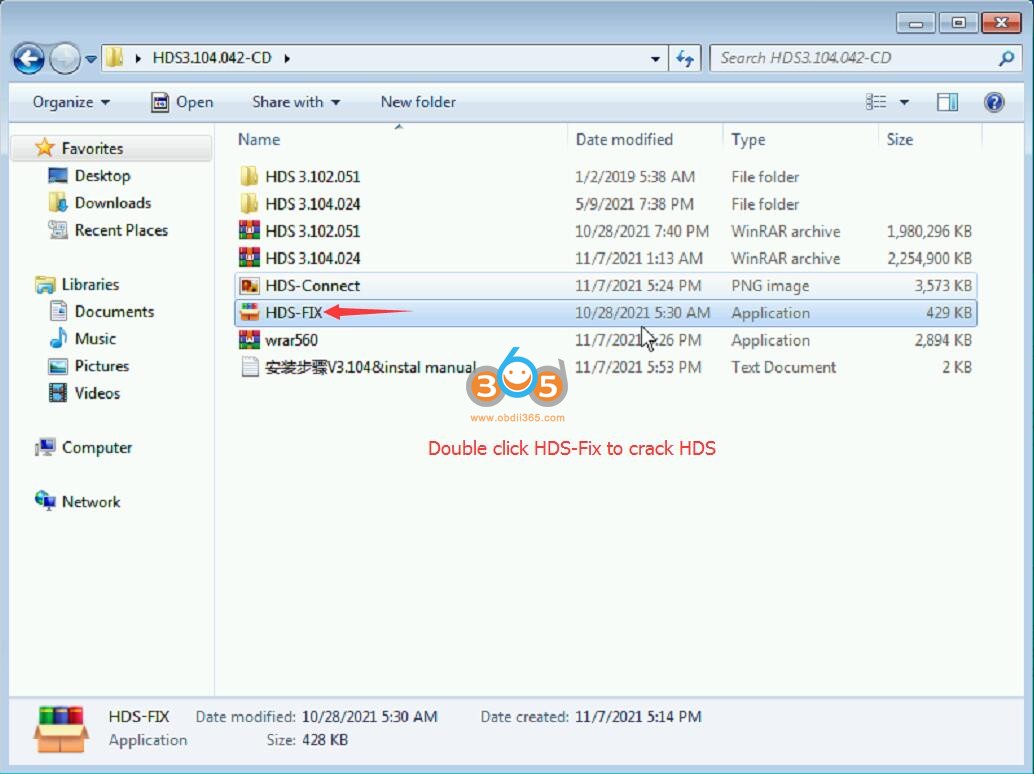
3.Double-click on the file HDS-FIX and the decrypted file will be automatically installed

install Honda HDS V3.104.024 software 5

4. Turn on the car ignition switch, connect the HDS HIM diagnostic tool to the vehicle OBD diagnostic port, and connect the COM port to the COM port of the computer.

If your laptop does not have a COM Port, use a USB to R232 serial converter which is included in the HIM pacakge.

install Honda HDS V3.104.024 software 6

5. Right click “My Computer” to open the device manager – port (COM) – change the serial port to COM1

install Honda HDS V3.104.024 software 7

install Honda HDS V3.104.024 software 8

install Honda HDS V3.104.024 software 9

6. Double-click the Honda Diagnostic System icon on the desktop and the diagnostic software will open for normal use.


Honda Diagnostic System HDS HIM clone any good?

Tuesday, May 17, 2022

Honda Civic 2007 DPF Regeneration by Honda HDS

 Honda Civic 2007 Diesel Particulate Filter (DPF) Regeneration by Honda HDS using Honda Him or J2534 interface. 

Honda Civic 2007 Diesel Particulate Filter Regeneration by Honda HDS 1

Honda Civic 2007 Diesel Particulate Filter Regeneration by Honda HDS 2

Honda Civic 2007 Diesel Particulate Filter Regeneration by Honda HDS 3

Honda Civic 2007 Diesel Particulate Filter Regeneration by Honda HDS 4

Honda Civic 2007 Diesel Particulate Filter Regeneration by Honda HDS 5

Thursday, May 5, 2022

How to Set up Honda HDS with Openport 2.0 J2534?

 Does Tactrix openport 2.0 interface work with Honda HDS (Honda Diagnostic System) program? Yes, it should work according to the official website.

Working fine even with clone openport 2.0. The price of the modified Openport is more than 2 times cheaper than HDS HIM double board.

You can get free HDS software from our blog. Just Search.
Honda HDS and i-Hds software version 3.104 works well on Win XP SP2, 32 bit, with Tactrix open port 2.0. I have installed it on WinXP. It works fine for me. It can diagnose only newer models.
Review on Honda Civic hybrid 2009

Decided to connect via open port 2.0, everything works without problems.

How to set up HDS with Openport 2.0 j2534?

1. Go to folder folder “Honda HDS 3.10x.xxx\HDS PC”, run “Setup.exe”
2. Select the Europe region. Dealer code 208342
3. Select language

4. We are waiting for the installation to complete. HDS does not start.
5. Next, look in the extracted folder “Honda HDS 3.10x.xxx “, run the patch “HIMGNA.exe”
There is a j2534 script in the assemblies, and that’s it.
We go in and select the type of connection Openport 2.0

How to set up HDS with Openport 2.0 j2534 1

How to set up HDS with Openport 2.0 j2534 2

How to set up HDS with Openport 2.0 j2534 3

Related reading:

Thursday, April 28, 2022

Free Download Honda HDS 3.104.042 with iHDS and J2534 Rewrite

 (04.2022) Free download the Honda dealer diagnostic software for Honda & Acura, including

  • HDS_3.104.042
  • iHDS_1.006.042
  • J2534Rewrite (database is 2022 of January, US rewrite)

Region: USA + Canada

Language: English

Operating system:

Windows 7, Windows 8, Windows 10

Windows 10 Professional is currently the only operating system supported by i-HDS. Windows 11 is not supported at this time.


HDS 3.104.042.7z

https://mega.nz/file/G9UhmbSC#YGhVsaGuxmzaItl8_oFFDMzsEUJoAw1bVdVnI_JiD_s 


iHDS 1.006.042.7z

https://mega.nz/file/ro1R0S7J#bXW74W7lelxOsKVxKFZp_REu2MPx0vCXEewEcsxT7Fg 


J2534Rewrite 1.00.0034_20220120.7z

https://mega.nz/file/jl0DRB7T#au9pfXKghwRdtKsS7hHDrmhVFauHfseZUavAJZ3D9WM


Note:  DO NOT install any Honda Extensions for it will ask for a subscription, login/password from Honda HDS website.

Use it with caution.  We don’t provide support on this. 


Communication Interfaces:

Honda HDS HIMVXDIAG HondaOpenport 2.0Autel VCI,  also DrewTech Mongoose J2534 etc


Test reviews:

1). I’m running this version with Windows 10 using Autel VCI and J2534 also DrewTech Mongoose.

2). I used J2534Rewrite software, with Autel VCI J2534 on Windows 7, 2016 Acura MDX, updated the  PCM and TCM, everything worked great.

3). I use tactrix openport 2.0 clone and working very good

Monday, October 18, 2021

Honda HDS HIM IMMO Ask for Password Solution

 Problem:

I am trying to program an immobilizer key for Honda Accord 2003 (North America) using my “HDS HIM Diagnostic Tool for Honda V3.103.066 with Double Board“. I am getting a screen telling me to enter a password and say function is locked. See attached photo. Before I purchased this item I asked if I could program immobilizer keys without passwords and I was told passwords were not required. What is the passwords to this program for immobilizer keys?

Honda HDS HIM IMMO Ask for Password

Solution:

Honda HDS clone does do immobilizer key programming without a password.

Don’t choose the area as ‘North America’. Select ‘Other’ region instead. It will not ask for a password.


Read also:

Free Download Honda HDS 3.102.051 Diagnostic & Programming Software

Honda Diagnostic System HDS HIM clone any good?

Sunday, October 10, 2021

How to Install Honda HDS Cable on Windows 10 64bit?

 Many people asking how to set up Honda HDS software for Xhorse HDS cable on Windows 10. Here’s the instruction shared by one of our customers.

honda-hds-cable-win10

To connect and work, you need to install the Honda HDS program.
It’s simple, if you have an earlier version of Windows, you will have to tinker a little for Win10.


The procedure here is for version 3.101.019. Didn’t test other versions. You are at your risk.

3.101.019 can be downloaded here for free.


1. Extract the archive.
2. Go to the extracted folder “Honda HDS 3.101.019 \ HDS PC”, run “Setup.exe”

Important! Disable Anti-Virus before installation or add it to the exclusions.
Select the Europe region. The dealer code is 208342, in my opinion you can do anything.
3. Select software language
4. We are waiting for the end of the installation. Do not start HDS afterwards.
5. Next, look in the extracted folder “Honda HDS 3.101.019 “, run the patch “HIMGNA.exe”
6. In the folder “Honda HDS 3.101.019 “, extract the contents of XHorse.zip Extract to the root of the C drive! Add Anti-virus
7. Next, connect the HDS cableDo not update in any case. 
A new device “M-VCI” appears.
Install the drivers manually from the XHorse folder. Important! Disconnect the Internet because Win10 will automatically find and install the drivers. They won’t work! If Win10 automatically installed drivers from the network, then remove the installed devices (USB Serial converter and USB Serial Port) and remove their drivers. Then connect the cable, it will appear in M-VCI with a yellow question mark, on which we manually install the driver from the C: / XHorse location. Do the same with USB Serial converter and USB Serial Port.
8.Next, go back to “Honda HDS 3.101.019 ” and run the registry file “Xhorse64.reg”.
9. Through the Add-Remove Programs we demolish the drivers of dealer scanners SPX MVCI 3.01.37. (Optional)
10. Launch HDS and select XHorse – MVCI in the communication interface
11. We are happy )
The program pleased me with its capabilities, it works slowly, of course, but this is not a big problem, it works.
Hope it helps.

install-honda-hds-cable-software-win10-1

install-honda-hds-cable-software-win10-2

install-honda-hds-cable-software-win10-3

install-honda-hds-cable-software-win10-4

install-honda-hds-cable-software-win10-5

http://blog.obdii365.com/2021/10/10/install-xhorse-honda-hds-on-windows-10-64bit/

Monday, April 5, 2021

Reset Honda Steering Angle Sensor by HDS or Other OBD Tools

 After replacing the steering angle sensor on Honda vehicles they could not get the ABS and VSA lights to turn off. ABS lights and VSA lights illuminated.  The calibration procedure should be carried out this time.


Obdii365.com here introduces top tools to reset the SAS by Launch X431, Autel and Honda HDS diagnostic scanners.


Launch X431 and Honda SAS Reset

Tools applied: X431 Pros MiniX431 VX431 V+X431 PAD series.

X431 supports steering angle sensor reset for Honda CIVIC , CITY , JAZZ ,FIT, ACCORD, CR-V, HR-V,Odyssey, Pilot etc till year 2020. 

Example: Honda City 2013.  All Honda perform similar procedure.


Procedure:

Select Honda brand->16 PIN DLC->
Auto read VIN and vehicle information

honda-steering-angle-reset-by-launch-x431-1

honda-steering-angle-reset-by-launch-x431-2

Select System selection->ABS->Read data stream->Manual Select

honda-steering-angle-reset-by-launch-x431-3

honda-steering-angle-reset-by-launch-x431-4

honda-steering-angle-reset-by-launch-x431-5

honda-steering-angle-reset-by-launch-x431-6

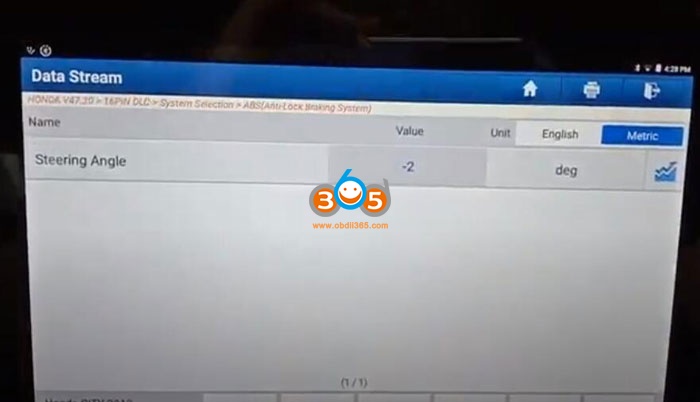
Check the steering angle sensor reading

honda-steering-angle-reset-by-launch-x431-7

Select Special Function->All sensors

honda-steering-angle-reset-by-launch-x431-8

After replacing the VSA control unit or sensor cluster must do the neutral position memorization procedure for all sensors.
incl. steering angle sensor, brake pressure sensor, lateral G sensor
Press OK to do the calibration

honda-steering-angle-reset-by-launch-x431-9

Stop engine, level the vehicle, straight the steering wheel, do not press the brake pedal

honda-steering-angle-reset-by-launch-x431-10

Start the neutral position memorization procedure

honda-steering-angle-reset-by-launch-x431-11

The operation has been successful.
Turn the ignition switch off
Turn the ignition switch on

honda-steering-angle-reset-by-launch-x431-12


Check the steering angle sensor reading again
Honda Steering Angle Sensor Calibration procedure by Launch X431 is completed.


Check Launch X-431 Honda steering angle sensor reset car list below:

HR-V 2014-2020
JADE 2014-2020
2CG 2013-2020
CRIDER 2013-2020
BALLADE 2012-2020
BRIO 2012-2020 CIIMO 2012-2020
N-BOX 2012-2020
ACTY VAN 2011-2020
FIT HYBRID 2011-2020
FIT SHUTTLE 2011-2020
FIT SHUTTLE HYBRID 2011-2020
GB-1 EVERUS S1 2011-2020
JAZZ HYBRID 2011-2020
ACCORD_CROSSTOUR 2010-2020
CR-Z 2010-2020
SPIRIOR 2010-2020
ZDX 2010-2020
FIT ARIA 2009-2020
AIRWAVE 2007-2020
ASCOT 2007-2020
AVANCIER 2007-2020
CAPA 2007-2020
CITY 2007-2020
CIVIC 2007-2020
CR-V 2007-2020
CR-X/DELSOL 2007-2020
CROSSROAD 2007-2020
DOMANI 2007-2020
EDIX 2007-2020
ELEMENT 2007-2020
ELYSION 2007-2020
FIT 2007-2020
FR-V 2007-2020
INSIGHT 2007-2020
INSPIRE 2007-2020
INTEGRA 2007-2020
JAZZ 2007-2020
LAGREAT 2007-2020
LEGEND 2007-2020
LIFE 2007-2020
LOGO 2007-2020
MOBILIO 2007-2020
MR-V 2007-2020
NSX 2007-2020
ORTHIA 2007-2020
PARTNER 2007-2020
PILOT 2007-2020
PRELUDE 2007-2020
RAFAGA 2007-2020
RIDGELINE 2007-2020
S-MX 2007-2020
S2000 2007-2020
SHUTTLE 2007-2020
SPIKE 2007-2020
STEP WGN 2007-2020
STREAM 2007-2020
THAT’S 2007-2020
59TODAY 2007-2020
VAMOS 2007-2020
Z 2007-2020
ZEST 2007-2020
ACCORD 2004-2020
ODYSSEY 2003-2020


Autel and Honda SAS Reset

Applied to Autel MaxisysMaxiCOM, MaxiDAS, MaxiIM IM608 etc series scanners.


Example: 

How to reset the steering angle sensor to its zero point neutral point on a 2017 Honda Accord using an autel scanner. This should be done after a wheel alignment, clock spring replace or abs module replace.


Procedure:
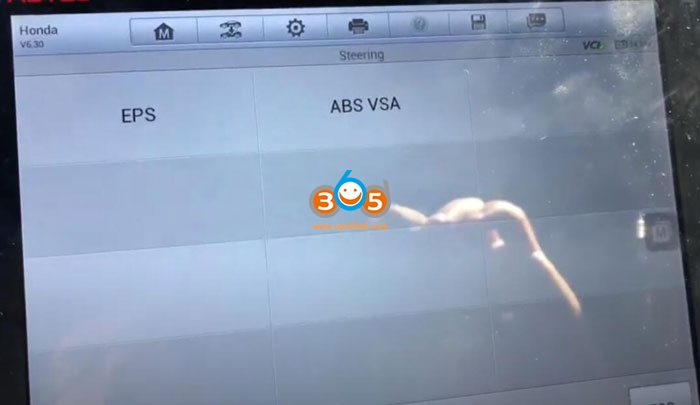
Select Hot Function->Steering->ABS VSA

honda-steering-angle-reset-by-autel-1

honda-steering-angle-reset-by-autel-2

honda-steering-angle-reset-by-autel-3

ABS VSA control unit will quit communication above 50 km/h

honda-steering-angle-reset-by-autel-4

Select All sensors

honda-steering-angle-reset-by-autel-5

honda-steering-angle-reset-by-autel-6

After replacing the VSA control unit or sensor cluster do the neutral position memorization procedure for all sensors.
incl. steering angle sensor, brake pressure sensor, lateral G sensor
Press OK to continue

honda-steering-angle-reset-by-autel-7


Stop engine, level the vehicle, straight the steering wheel, do not press the brake pedal

honda-steering-angle-reset-by-autel-8


Press OK to start the neutral position memorization procedure
Gear in P position or gear in N position and apply the parking brake.
Turn on ignition switch and start the engine.

honda-steering-angle-reset-by-autel-9

honda-steering-angle-reset-by-autel-10

Turn the steering wheel lock to lock

Press OK

honda-steering-angle-reset-by-autel-11


Keep the steering wheel in the straight ahead position and drive the vehicle straight line for more than 3 meters.
Stop the vehicle on a level surface.
After this process, press OK.

honda-steering-angle-reset-by-autel-12

The operation has been successful.
Turn the ignition switch off
Turn the ignition switch on

Steering angle sensor calibration is done.

Autel does not have detail Honda SRS reset model list, you can check model and function on official website:
https://www.autel.com/vehicle-coverage/coverage2


Honda HDS and SAS Reset 

Both HDS original and HDS HIM clone double-board can do this job.

When removing and installing a cable reel, you need to keep both the cable reel and the steering angle sensor in
position. If you don’t , the VSA indicator may come on along with one or more VSA DTCs. And when you run the
Neutral Memorization Procedure in the i-HDS, it won’t complete.

honda-steering-angle-reset-by-hds-1

By the way, this procedure is covered as VSA Sensor Neutral Position Memorization in the service information.
To keep those parts properly positioned, here’s a tip: First, make sure the front wheels are pointed straight ahead with
the steering wheel in the straight-ahead position. Then, before removing the cable reel, tape both the cable reel and
steering angle sensor together. This not only keeps the parts properly positioned, but keeps the sensor from accidently
moving.

honda-steering-angle-reset-by-hds-2


When you turn the steering wheel to
the right (or the sensor clockwise), the reading increases or moves in a positive direction. When you turn it to the left
(or the sensor counterclockwise), the reading decreases or moves in a negative direction

To manually position the steering angle sensor, you first need to determine its current position with the i-HDS. How you
do that depends on how far along you are with your repair.
For instance, if you’ve completely assembled the steering column, you’ll need to go to the ABS/TCS/VSA Data List and
check the STEERING ANGLE (CAN) value. If you haven’t yet installed the steering angle sensor, you’ll need to at least
hook up the sensor, the cable reel, and either the airbag assembly or the applicable simulator tool, then read the sensor
value in the data list.

honda-steering-angle-reset-by-hds-3


In this example, the STEERING ANGLE (CAN) value is reading a positive 180°, which tells you the steering angle
sensor is 180° out of position clockwise. To fix this, you’ll need to remove the sensor from the cable reel and turn the
two tabs 180° counterclockwise to bring the sensor back to center or 0°.

honda-steering-angle-reset-by-hds-4

When you’re done, you’ll then need to install all of the removed components and repeat the Neutral Memorization
Procedure. If you’ve done the sensor adjustment right , the procedure should complete and you can then move on with
your repair.


HDS Honda SRS Reset Model List:

Year Model Trim
2013-17 Accord ALL
2014-17 Accord Hybrid ALL
2014 Accord Plug-In Hybrid ALL
2012-15 Civic ALL
2012-15 Civic Hybrid ALL
2017-19 Clarity Fuel Cell ALL
2012-16 CR-V ALL
2013-15 Crosstour ALL
2015-19 Fit ALL
2016-19 HR-V ALL
2014-19 Odyssey ALL
2016-19 Pilot ALL
2019 Passport ALL
2017-19 Ridgeline ALL


http://blog.obdii365.com/2021/04/04/honda-steering-angle-sensor-reset-by-launch-x431-autel-or-hds/